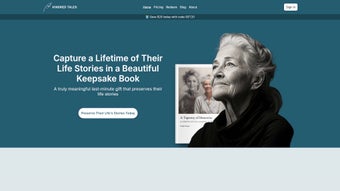

Download Kindred Tales – AI‑Powered Memory Journal & Storytelling App
In today’s fast‑paced world, preserving personal memories often falls to the bottom of our to‑do lists. Kindred Tales steps in as a modern solution that blends artificial intelligence with intuitive design, turning the act of journaling into a seamless, enjoyable habit. Whether you’re a seasoned writer, a busy parent, or simply someone who wants to capture family stories for future generations, this web‑based platform offers a secure, feature‑rich environment that adap‑ts to any lifestyle. Below, we dive deep into its core capabilities, installation experience, compatibility, and the pros and cons that matter most to users seeking a reliable memory‑keeping tool.
Overview
Kindred Tales is a web‑based storytelling platform that transforms the often‑daunting task of preserving personal history into a delightful, guided experience. Built on cutting‑edge artificial intelligence, the service delivers weekly prompts, flexible writing modes, and a seamless transcription engine that lets users dictate memories from any device. Whether you prefer the classic pen‑and‑paper feel, a quick email entry, or a conversational interview that the AI turns into draft chapters, Kindred Tales adapts to your style. The subscription model ensures continuous support, regular content updates, and the promise of a beautifully bound hardcover book at the end of each year—an heirloom that captures a lifetime of moments in one place. By merging secure cloud storage, intuitive UI, and AI‑assisted creativity, Kindred Tales makes memory‑keeping accessible, organized, and genuinely enjoyable for anyone who wants to document their story without the hassle of traditional journaling.
The platform’s design philosophy centers on reducing friction. Instead of forcing users into a single workflow, it offers multiple entry points that cater to diverse habits—typing, voice, or even email. This flexibility encourages consistent use, which is critical for building a comprehensive personal archive.
Moreover, the AI engine is continuously trained on a vast corpus of narrative structures, ensuring that suggestions feel natural and that transcriptions improve over time. Security is another cornerstone: all data is encrypted at rest and in transit, and two‑factor authentication can be enabled for added peace of mind. For families or groups, collaborative features let multiple contributors add to a shared library while maintaining individual ownership rights.
In essence, Kindred Tales functions as both a private diary and a collaborative memoir hub, providing the tools needed to capture everyday moments as well as milestone events.
From a user‑experience standpoint, the interface is clean and distraction‑free. The dashboard presents the current week’s prompt prominently, accompanied by progress indicators that gamify the journaling process. Users can set personal goals, receive gentle reminders, and even earn virtual badges for completing a series of entries. These motivational elements keep the habit alive without feeling intrusive. Overall, Kindred Tales positions itself as a next‑generation memory app that blends technology with the timeless human desire to tell stories, making it a compelling choice for anyone looking to safeguard their personal legacy in a secure, digital format.
Key Features & How It Works
- Weekly Story Prompts: Curated questions delivered each week keep the writing flow steady and inspire reflection on overlooked moments.
- Classic Composer: A full‑screen editor that supports rich text formatting, image uploads, and drag‑and‑drop placement for photo‑enhanced narratives.
- Email Submissions: Write on the go and simply forward your entry to a dedicated Kindred Tales address; the platform auto‑imports and organizes your content.
- Biographer Interview Mode: An AI‑driven interview that asks you open‑ended questions, records your spoken answers, and generates a polished draft you can edit.
- Transcription Engine: Record audio on any device; the AI converts speech to text in real time, handling accents and background noise with impressive accuracy.
- Secure Cloud Library: All stories, photos, and audio files are encrypted at rest and in transit, guaranteeing privacy and data integrity.
- Annual Hardcover Publication: At the close of each subscription year, Kindred Tales compiles your entries into a custom‑designed hardcover book, ready for gifting or personal archiving.
- Cross‑Platform Access: Use the web app from Windows, macOS, Android, or iOS browsers without needing a separate download.
- Version History & Undo: Every edit is saved, letting you revert to previous drafts or compare changes over time.
- Community Inspiration: Optional access to a curated gallery of anonymized stories for creative sparks and writing tips.
Each feature is woven into a single, cohesive workflow. After logging in, the dashboard displays the current week’s prompt alongside a progress bar indicating how many stories you’ve completed this year. Selecting “Classic Composer” opens a clean writing canvas where you can embed photos directly from your device or cloud storage.
If you’re short on time, the “Email” option lets you compose in your preferred mail client and simply send the message; the system parses the content and tags it appropriately. For those who struggle with writer’s block, the “Biographer” mode initiates an interview‑style chat, capturing audio or typed responses and instantly turning them into a first‑draft narrative. The AI‑powered transcription tool works in the background, constantly learning your voice and vocabulary to improve accuracy.
All entries are auto‑saved, encrypted, and organized by date, making it effortless to locate a specific memory when you need it.
Beyond the core journaling experience, Kindred Tales encourages community engagement through its optional story gallery. Users can browse anonymized entries for inspiration, discover new storytelling techniques, and even contribute to themed challenges that foster creativity. The platform also integrates with popular cloud services such as Google Drive and Dropbox, allowing seamless import of existing media assets. This extensibility ensures that you can bring decades of family photos, voice recordings, and handwritten notes into a unified digital archive without manual re‑typing. In short, Kindred Tales provides a robust, AI‑enhanced ecosystem that supports every stage of the memory‑keeping journey—from initial capture to polished publication.
Installation, Setup & Compatibility
Getting Started – No Download Required
Kindred Tales is a cloud‑first solution, which means you never have to install bulky software on your computer. Simply visit kindredtales.com, create a free trial account, and choose a subscription plan that fits your needs. The sign‑up flow guides you through email verification, password creation, and an optional two‑factor authentication step for added security. Once your account is active, you can bookmark the web app on any device and access it instantly.
Step‑by‑Step Usage Instructions
- Log In: Open your browser, navigate to the URL, and enter your credentials.
- Select a Writing Mode: Choose between Classic Composer, Email, Biographer, or Transcription from the main menu.
- Follow the Prompt: Read the weekly question, then start typing, uploading photos, or recording audio.
- Save & Review: The system autosaves every keystroke. When finished, click “Review” to see formatting, add tags, or reorder sections.
- Publish to Your Library: Hit “Save to Library” to lock the entry. You can always return later for edits.
- Annual Book Generation: At year‑end, the platform compiles all saved stories into a PDF, which is then printed into a hardcover book and shipped to your address.
Supported Operating Systems & Browsers
Because Kindred Tales runs entirely in the browser, it is compatible with any modern operating system that supports up‑to‑date web standards. Officially supported platforms include:
- Windows 10/11 – Microsoft Edge, Google Chrome, Mozilla Firefox
- macOS 12+ – Safari, Chrome, Firefox
- iOS 14+ – Safari or Chrome (mobile)
- Android 9+ – Chrome, Firefox, or Samsung Internet
All browsers must allow JavaScript and cookies for the authentication flow and real‑time transcription features to work correctly. The responsive design ensures a smooth experience on tablets, laptops, and desktop monitors alike.
Pros and Cons
Advantages
- AI‑driven prompts keep writing momentum high.
- Multiple entry methods (text, email, voice) suit diverse habits.
- Secure, encrypted cloud storage protects sensitive personal data.
- Annual hardcover book turns digital memories into a tangible legacy.
- Cross‑platform web access eliminates the need for separate downloads.
- Version history and undo functionality reduce fear of making mistakes.
- Biographer interview mode helps users overcome writer’s block quickly.
- Community gallery provides inspiration without compromising privacy.
- Integrated export options (PDF, JSON) give users full control over their data.
- Two‑factor authentication adds an extra layer of account security.
Drawbacks
- Subscription cost may be a barrier for casual users.
- Full feature set requires a reliable internet connection.
- Transcription accuracy can vary with heavy accents or noisy environments.
- No offline desktop client for users who prefer local storage.
- Annual book printing is an extra expense not included in the subscription fee.
- Feature richness may feel overwhelming for first‑time journalers.
- Limited customization options for the physical book’s design.
Overall Rating: 4.5/5 – Kindred Tales offers a compelling blend of AI assistance and creative freedom, making it a standout choice for anyone serious about preserving their personal narrative.
Conclusion & Frequently Asked Questions
If you’re looking for a secure, intuitive way to capture life’s fleeting moments, Kindred Tales delivers a polished, AI‑enhanced experience that scales from a single diary entry to an entire family legacy. The subscription model guarantees continuous updates, fresh prompts, and the comforting knowledge that your stories are safely stored and ready to be transformed into a professional hardcover book each year. While the price point reflects the premium features and publishing service, the value of turning memories into a lasting heirloom often outweighs the cost. Ready to start your storytelling journey? Sign up today and claim your first month free!
Frequently Asked Questions
-
Can I export my stories before the annual book is printed?
Yes. The platform provides a downloadable PDF and a JSON export option for every entry, allowing you to back up or share your narratives at any time.
-
Is my data truly private?
All content is encrypted using AES‑256 both at rest and in transit. Only you and any explicitly invited collaborators can access your stories.
-
What happens if I cancel my subscription?
Your existing stories remain accessible in read‑only mode for 90 days, after which you can download them before the account is deactivated.
-
Do I need a microphone for the transcription feature?
A microphone is required for optimal results, but most laptops, smartphones, and tablets have built‑in mics that work well with the service.
-
Can multiple family members contribute to the same account?
Yes. You can invite collaborators via email, assign them author or editor roles, and keep all contributions organized under one shared library.



.png)



